Welcome to the RouteReporter Help Site
This site provides comprehensive documentation to assist you with RouteReporter. Here you will find:
-
A User Guide – Use the navigation panel on the left or the search bar at the top right to quickly locate topics.
-
Release Notes – Review updates and changes for each version of RouteReporter.
-
Troubleshooting Articles – Find solutions to common issues and contact information for additional support.
Related Help Sites
-
CoPilot 10 – Documentation for CoPilot 10, the in-vehicle navigation application.
-
CoPilot 11 – Explore the documentation for CoPilot 11, the newest version of our advanced in-vehicle navigation solution.
-
Account Manager – Documentation for Account Manager, the web-based application for managing your CoPilot licenses and subscriptions.
-
ContentTools – Documentation for ContentTools, the web-based application for managing and customizing location data.
What is RouteReporter?
RouteReporter is a web-based route compliance solution that provides visibility of your fleet’s planned and post-trip routing activity while using CoPilot navigation. With RouteReporter, you can easily view and analyze data from vehicles in the field over a specified time, helping to ensure true route compliance and measure driver performance.
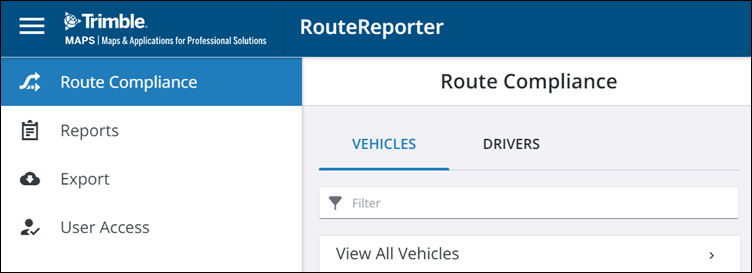
There are four tabs in RouteReporter:
-
Route Compliance: Visualize and compare the planned route to the actual path taken by your vehicles using CoPilot.
-
Reports: Generate out-of-route data and compliance reports to objectively measure driver compliance with the planned route.
-
Export: Download reports that you have exported from the Reports tab in .csv format.
-
User Access: Add or update RouteReporter company administrators and users.