How can I check if a map edit was approved?
You will not receive a notification if the map edit you submitted has been accepted and added to Trimble data. However, a fleet administrator can check the status of submissions in the MapSure web tool.
MapSure web tool
To check the status of a map edit submission, log in to the MapSure web tool and navigate to the Edits List tab.
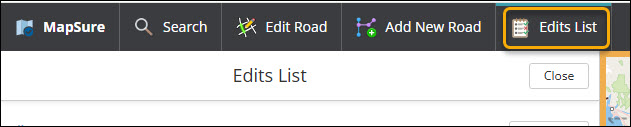
Here, you can view all your submissions along with their current status:
-
For Review: The issue has been forwarded to our GIS (map data) team for analysis.
-
Accepted: The GIS team has reviewed and accepted the issue. The edit will be reflected in the next map data release.
-
Declined: The issue has been reviewed by the GIS team, but the edit cannot be made.
-
Escalated: The issue has been escalated to the Support team by GIS for issues that cannot be directly resolved in the map data.
Accepted edits
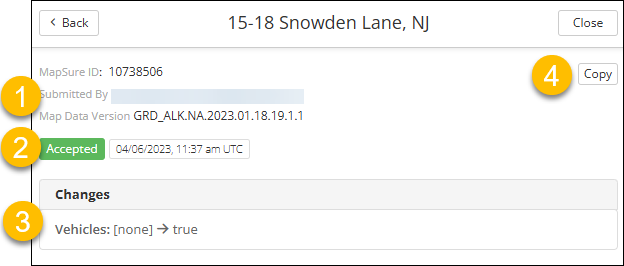
If your submission is marked as Accepted, you can click the arrow icon next to the status to view the details of the edit, including the map data version in which the change will be reflected.
-
The Map Data Version indicates the version of map data in which the edit will be included.
-
A badge showing the edit was Accepted by the GIS team, along with the date of acceptance.
-
The Changes that were made to the map data as a result of the edit. This is also displayed on the map. In this example, the edit was to change the road to allow vehicle traffic.
-
A button to Copy a direct link to the edit details, which can be shared with others.