Step 9: Update CoPilot
There are two types of updates: app and map road data—both are important to ensure your fleet gets the most out of CoPilot. Regularly updating ensures your drivers have access to the latest features, improvements, and map data for the best navigation experience. Verify that your devices have:
-
The latest version of the CoPilot app, which includes the latest features and improvements. See CoPilot 11 release notes for details.
-
The latest map data, which includes the latest roads and routing information. See the Map Data release notes for the latest version for your region.
You can monitor which version of the app and data is running on each device in Account Manager’s Assets screen.
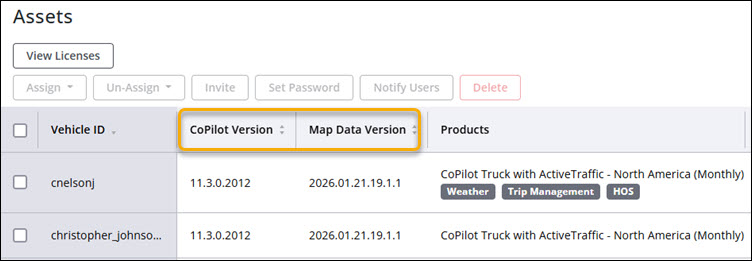
Figure 1. View the app and map versions for each device in Account Manager