2026 Releases
Last updated: May 5, 2026
Version 26.04.2
Release Date: April 30, 2026
Bug fixes and other improvements
-
QuickBatch improvements:
-
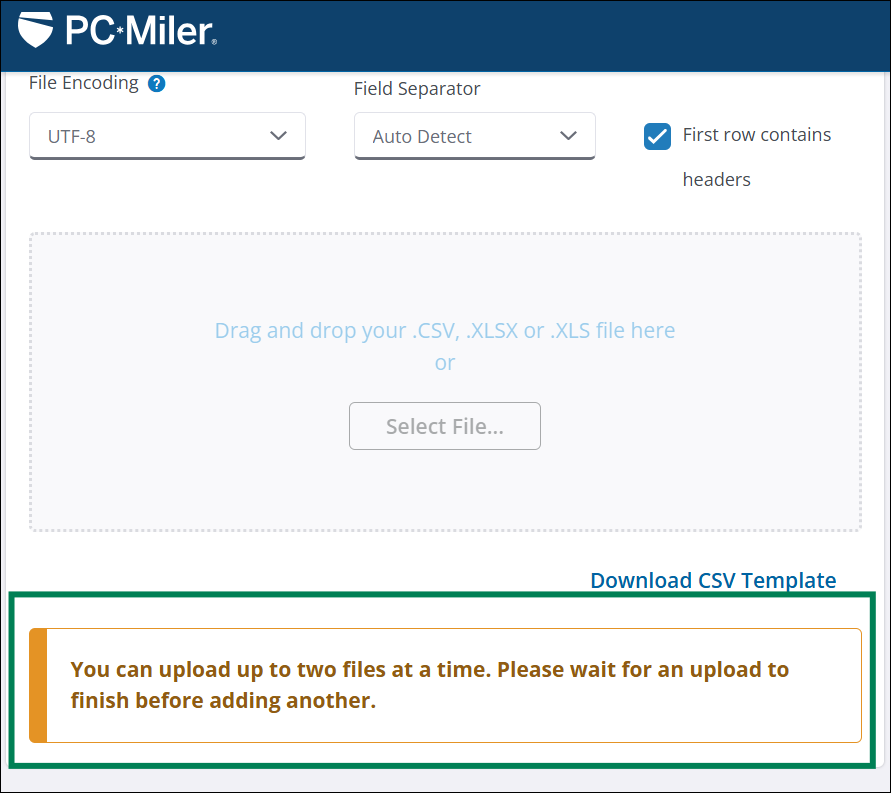
Introduced a concurrent processing limit for QuickBatch file uploads. A maximum of 2 files may be processed at the same time. If additional file uploads are attempted, a notification appears stating the file cannot be uploaded until one of the current files has finished processing. This change aims to improve overall system performance and stability with respect to QuickBatch processing times.
-
UTF-8 is now set as the default file encoding method. This change is set to reduce the number of origin/destination processing errors, especially for users uploading files containing addresses with special characters.
-
Fixed an issue where users would not receive a notification email after file processing had completed.
-
Improved QuickBatch processing logic for Round Trip feature.
-
-
Fixed an issue where units of measure displayed on the map would not update after changing units to Metric. Map units now reflect whichever unit of measure is selected within Application Settings.
-
Fixed an issue where stop location data could be altered after generating a route with Current initially selected, then choosing a different PC*Miler data version. This change would result in the updated route not including the correct stop locations. Stop information is now retained when changing between current and historical data versions.
-
PC*Miler Web has received a visual UI update to aid in better overall compatibility with unique viewing formats such as large format screens and improved dark mode support. Users may notice minor appearance changes to windows, menus, and dropdowns however, overall functionality remains the same.
-
Fixed an issue where new users would not receive a registration email after signing up for a PC*Miler Web Trial or Premium account.
Version 26.02.4
Release Date: February 26, 2026
Enhancements
New enhancements for QuickBatch are now live. With this update, you can now include round trip calculations for your origin/destination pairs when uploading a data file. For a complete guide to using QuickBatch, view our QuickBatch help guide.
To enable round trip calculations:
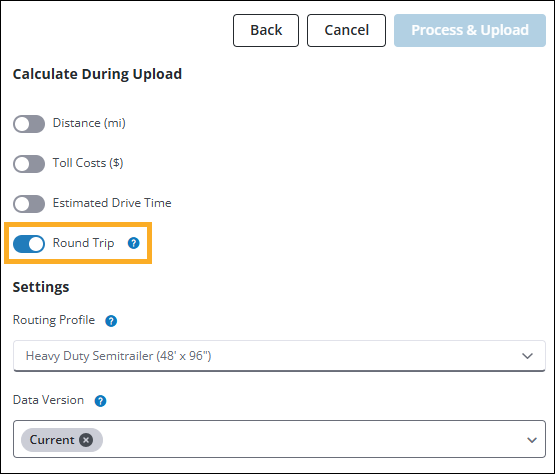
In the Calculate During Upload pane, select the Round Trip toggle to include round trip calculations for each origin/destination pair in your upload file.
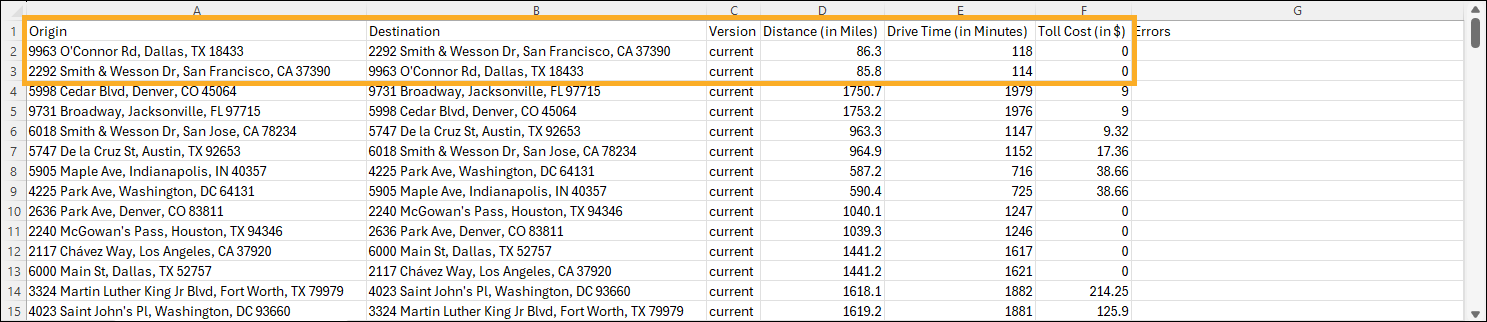
With the round trip option enabled, your output file includes additional rows for round trip calculation of each origin/destination pair. (Select image to enlarge)
Bug fixes and other improvements
-
Fixed an issue where the map would zoom into your current location multiple times before correctly centering on a selected route. This issue occurred when switching from a different browser tab back to an active PC*Miler Web session with location services enabled.
-
Fixed an issue where invalid route warnings could appear when viewing the QuickBatch window within PC*Miler.
-
Fixed an issued where routes would reload indefinitely after generating an invalid route and refreshing the browser window. Routes only require loading on initial route generation, existing routes now appear immediately after refreshing the browser window.
Version 26.01.2
Release Date: January 29, 2026
Enhancements
New enhancements for QuickBatch are now live. This update includes customer requested feature improvements and multiple bug fixes. For a complete guide to using QuickBatch, view our QuickBatch help guide.
Multi-Version Processing
-
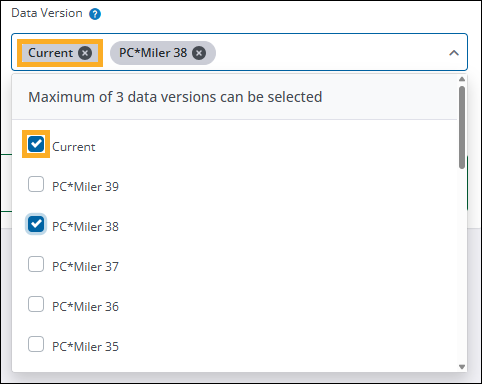
You can now select multiple PC*Miler data versions when uploading a file for processing. In the Calculate During Upload pane, select the Data Version dropdown and choose which data versions you would like to compare. Up to 3 different versions can be selected at a time.
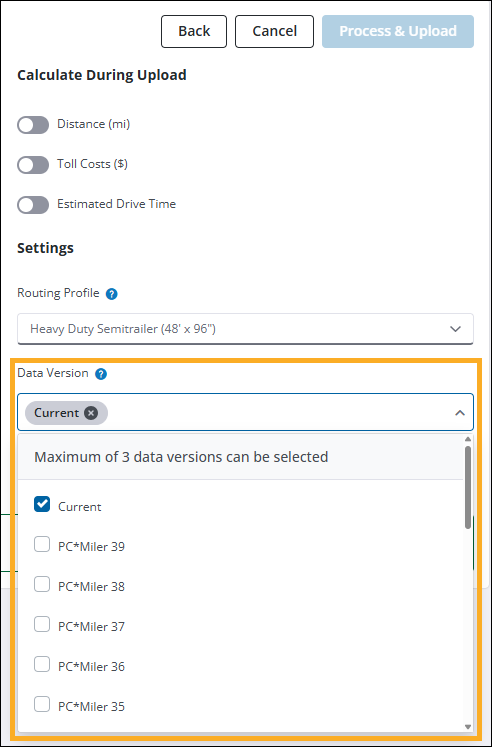
By default, Current is always selected. You can remove a version by selecting X next to the specific version you want to remove, or unchecking it from the dropdown list.
-
In relation to multi-version processing, the selected data versions are now stated in the notification email and are also listed in the third column of the output file.
-
Your previously selected file settings are now retained for future file uploads. This enhancement aims to increase efficiency and reduce errors in selecting settings when uploading multiple files for processing.
Bug Fixes and other improvements
-
QuickBatch bug fixes:
-
Fixed an issue where the same file could be submitted for processing multiple times in succession due to the Process and Upload button remaining in an enabled state after the initial upload. The button is now greyed out and reads Processing… after being selected, preventing multiple submissions of the same file.
-
Fixed an issue where the Process and Upload button would be incorrectly enabled after switching to a different PC*Miler tab and returning to QuickBatch.
-
Addressed an issue where uploaded files would not process due to the file name containing too many characters. If a file is uploaded and the file name contains more than 60 characters, a notification is now displayed stating that the file cannot be uploaded.
-
Updated download link in QuickBatch notification email. The link now directs to the QuickBatch tab and automatically triggers the file download process.
-
-
Fixed an issue where new routes would get stuck in a loading state after running the route and then editing Street Adherence settings in the Route Options pane.
-
Fixed an issue where the Reports pane would not load if PC*Miler Web was launched using the Applications menu from within another Trimble Maps product.
-
Fixed issues regarding exported reports when selecting .CSV as the file type. This fix addresses formatting issues and missing stop names for intermediate stops.