2026 Releases
Jan. 28, 2026
New Features and Enhancements
Allow drivers to find nearby rest stops
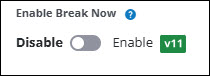
Enable Break Now is the new name for the existing CoPilot Preferences: Navigation setting that allows fleet managers to enable or disable a feature that helps drivers find nearby rest stops. When enabled, a Break button appears on the CoPilot navigation screen. Tapping this button opens a screen that suggests up to five truck-safe locations along the driver’s route, listed by proximity. (CoPilot 11 only)
View asset creation date
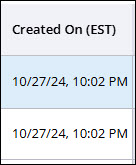
A new Created On column in the Assets table displays the date an asset was created.
View Configuration Profile names in vehicle group table
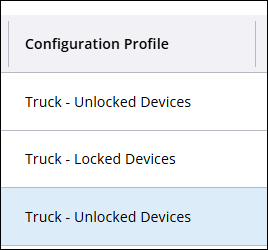
A new Configuration Profile column in the Vehicle Groups table displays the name of the profile associated with that group.
Receive alerts when vehicles do not have associated Vehicle Routing Profiles
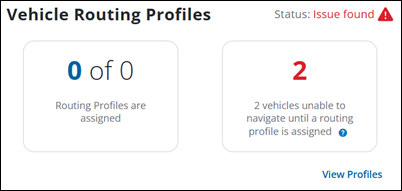
Users are now notified on the Dashboard in the rare case where:
-
A vehicle has a Configuration Profile that prevents the driver from entering a routing profile in the CoPilot app.
-
However, the vehicle also has no default Routing Profiles or profiles associated with any Vehicle Group it is in.
User interface improvements
The Account Manager user interface is enhanced with each release. Current improvements include:
-
The Dashboard hides an option to view assets if the user does not have a role that is able to see assets.
-
Improved the Asset map so the view recenters when switching views from full screen back to card view.
-
Fixed a double scrollbar issue in the Assets tab when a partner switches to another account.