Getting started with PC*Miler Web
PC*Miler Web provides industry standard, truck-specific routing, mileage and mapping for light, medium and heavy duty vehicles in regions around the world. With a modern, functional user interface, PC*Miler Web offers a multitude of features that allow you to plan and visualize the best possible routes for your entire fleet.
What to expect from PC*Miler Web
Better Maps
PC*Miler uses the latest mapping technology for commercial vehicles from Trimble Maps. It provides crisper map images that load faster and zoom and pan more smoothly. In addition:
-
Multiple map styles are available, including Accessible Light and Accessible Dark styles for people with visual disabilities.
-
Customizable content layers can be displayed on the map, including truck restrictions, weather, traffic, points of interest, and your company’s own Custom Places.
A map image showing 3D buildings in Midtown Manhattan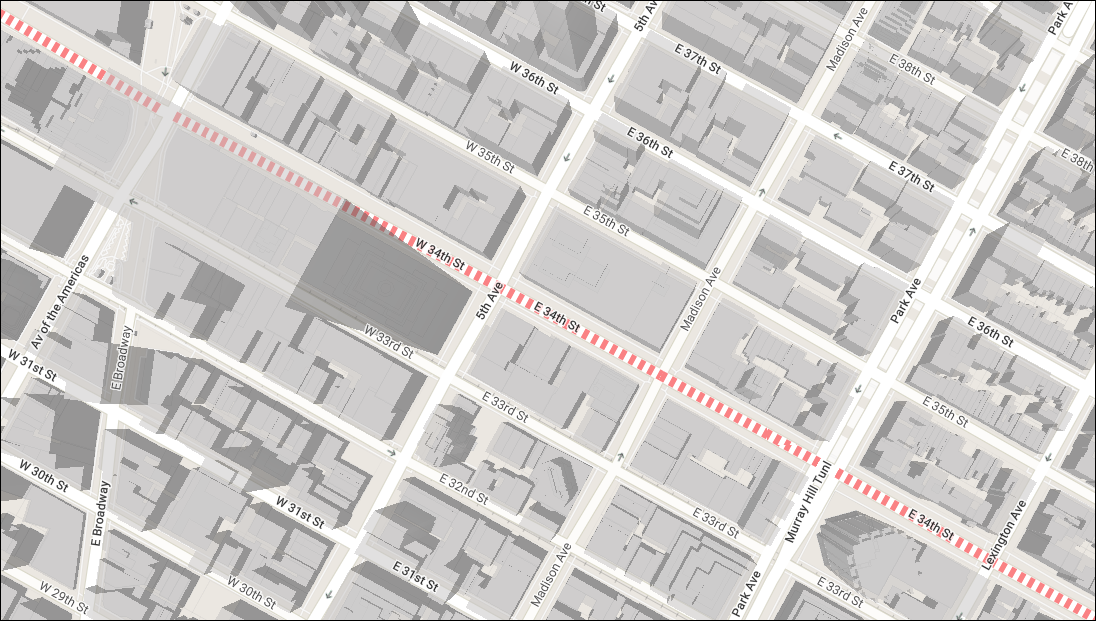
-
Maps can be opened to a fullscreen view, and printed directly from a web browser.
Customizable routing options
PC*Miler Web offers in-depth routing options and application settings, allowing you to customize routes based on your fleets specific needs. These options include:
-
Preset Vehicle Routing Profiles
Rather than selecting individual route options for each route, you select a predefined vehicle routing profile. Preset profiles included all of the recommended settings to generate safe, efficient and legal routes based on the vehicle type. These profiles are used throughout the Trimble Maps suite of products, including CoPilot navigation, to better ensure consistent routing in-cab and in the back office. -
Custom Vehicle Routing Profiles
You can also edit a preset profile to create your own profile based on your fleet’s needs. -
PC*Miler versions in the route card
Choose which data version of PC*Miler you would like to use, or select Current to ensure you are using the latest routing data available when generating your route.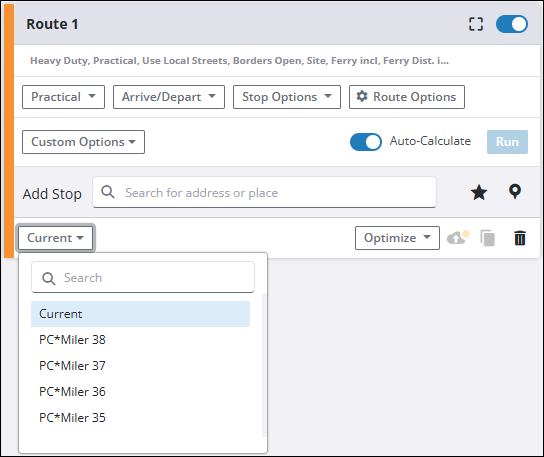
Improved location searches
PC*Miler Web includes a range of settings you can use to help improve search results, such as:
-
A radius around the current center point in the map view.
-
Certain types of places such as truck services, weigh stations, and Walmart overnight parking locations.
-
Specific states, counties, ZIP codes and more.
Navigating PC*Miler Web
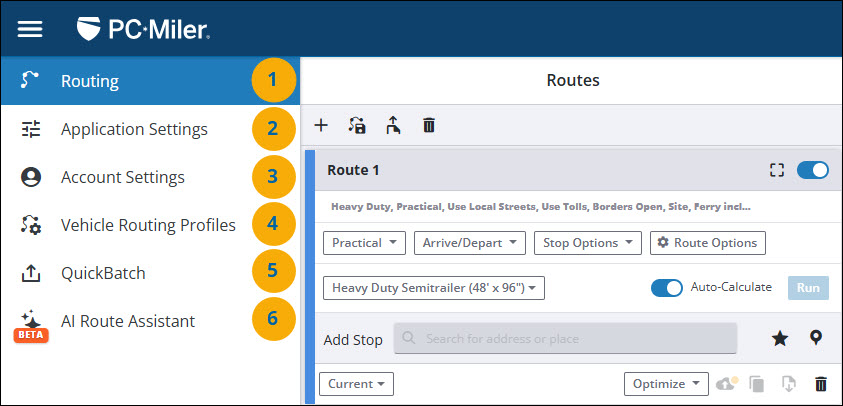
When you sign in to PC*Miler Web, the Routing screen opens with a view of the map. Settings and other functions can be accessed via the left-side menu.
-
The Routing window is where you enter stops to create your routes and select individual route settings, including Vehicle Routing Profiles.
-
Application Settings are global settings applied to all routes. You can leave the default values or customize settings to narrow your location searches, and set route costs for your fleet.
-
The Account Settings window is where you add, remove or edit the people in your company who can access PC*Miler.
-
The Vehicle Routing Profiles window is where you create custom Vehicle Routing Profiles. A Vehicle Routing Profile is a collection of vehicle dimensions and other routing options that ensure the routing algorithm knows the type of vehicle being driven so it can generate a safe, efficient, and legal route. You can use the default profiles included with PC*Miler or create a custom profile.
-
QuickBatch lets you upload spreadsheet files to PC*Miler Web for bulk processing of route data including distances, estimated travel time, and toll costs. Up top 10,000 origin/destination pairs can be processed in a single file upload, and you can even select multiple data versions of PC*Miler to compare results. Please Note: An active PC*Miler Web Services Spreadsheets license is also required to use QuickBatch.
-
AI Route Assistant is the latest addition to PC*Miler Web. You can use Route Assistant to generate a route in seconds with a single prompt. Enter your origin, destination, intermediate stops, and route options. Route Assistant automatically generates a route that matches your prompts and adds it to your Routes list.
Please Note: Route Assistant is currently in Beta. Errors in how your prompt is processed by Route Assistant should occasionally be expected.