RFID tags
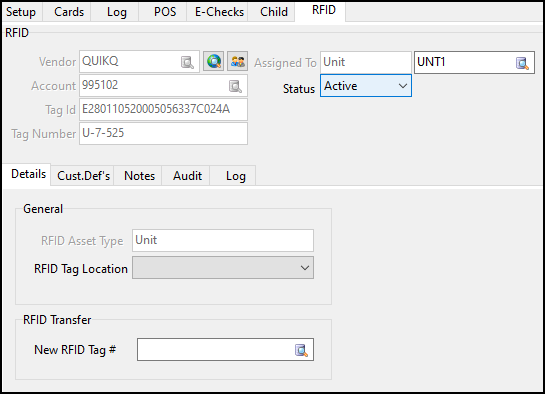
RFID (radio-frequency identification) is a cordless method used by QuikQ to make fuel purchases. An antenna at the fuel lane reads a tag and the information is sent to QuikQ. QuikQ verifies the tag information and allows the truck to fuel based on the limits in the QuikQ system. On the RFID tab, you can assign these RFID tags to power units.
To access the RFID tab, in Card Management select Go > RFID.
An RFID tag cannot be manually added. Instead, you must find a blank (unassigned) RFID tag and update it. Alternatively, you can import more blank RFID tags from QuikQ.
An RFID tag cannot be removed from TruckMate. To mark a tag as no longer in use, select the Status dropdown menu and set the tag to either Inactive or Damaged.
An RFID tag can be transferred to a new ID. This deactivates the old RFID and enables the new RFID. To transfer an RFID tag, enter the new ID in the New RFID Tag # field.